
Description
/* ===== Scoped to Tesery product description only ===== */ .tesery-product-description-container { –tesery-red: #e82127; –tesery-dark: #0f1115; –tesery-text: #222; –tesery-muted: #6b7280; –tesery-border: #e5e7eb; –tesery-bg: #ffffff; –tesery-chip: #f6f6f7; font-family: -apple-system, BlinkMacSystemFont, “Segoe UI”, Roboto, Oxygen, Ubuntu, Cantarell, “Open Sans”, “Helvetica Neue”, Arial, sans-serif; color: var(–tesery-text); line-height: 1.6; background: var(–tesery-bg); max-width: 900px; margin: 0 auto; padding: 20px; box-sizing: border-box; } .tesery-product-description-container * { box-sizing: inherit; } .tesery-product-description-container h2, .tesery-product-description-container h3 { color: var(–tesery-dark); letter-spacing: 0.2px; margin: 0 0 12px 0; } .tesery-product-description-container h2 { font-size: 1.9rem; font-weight: 800; text-align: center; } .tesery-product-description-container .sub { text-align: center; color: var(–tesery-muted); margin-bottom: 18px; } .tesery-product-description-container .hero { border: 1px solid var(–tesery-border); border-radius: 14px; padding: 18px; background: #fff; display: grid; gap: 16px; } .tesery-product-description-container .badges { display: flex; flex-wrap: wrap; gap: 8px; justify-content: center; } .tesery-product-description-container .badge { display: inline-flex; align-items: center; gap: 6px; padding: 6px 10px; border-radius: 999px; font-size: 12px; font-weight: 700; background: var(–tesery-chip); color: var(–tesery-dark); border: 1px solid var(–tesery-border); } .tesery-product-description-container .badge .dot { width: 6px; height: 6px; border-radius: 50%; background: var(–tesery-red); display: inline-block; } .tesery-product-description-container .grid { display: grid; gap: 16px; } .tesery-product-description-container .grid.cols-3 { grid-template-columns: repeat(3, 1fr); } .tesery-product-description-container .grid.cols-2 { grid-template-columns: repeat(2, 1fr); } @media (max-width: 860px) { .tesery-product-description-container .grid.cols-3, .tesery-product-description-container .grid.cols-2 { grid-template-columns: 1fr; } } .tesery-product-description-container .card { border: 1px solid var(–tesery-border); border-radius: 14px; padding: 16px; background: #fff; } .tesery-product-description-container .card h4 { margin: 0 0 8px 0; font-size: 1.05rem; font-weight: 700; color: var(–tesery-dark); } .tesery-product-description-container .card p, .tesery-product-description-container p { margin: 6px 0 0 0; color: var(–tesery-text); } .tesery-product-description-container ul { margin: 8px 0 0 18px; padding: 0; } .tesery-product-description-container li { margin-bottom: 6px; } .tesery-product-description-container .cta { display: flex; gap: 12px; justify-content: center; align-items: center; margin-top: 18px; flex-wrap: wrap; } .tesery-product-description-container .btn { display: inline-block; padding: 12px 20px; border-radius: 10px; font-weight: 800; text-decoration: none; text-align: center; border: 2px solid var(–tesery-red); color: #fff; background: var(–tesery-red); box-shadow: 0 10px 24px rgba(232, 33, 39, 0.25); transition: transform .2s ease, box-shadow .2s ease, background .2s ease; } .tesery-product-description-container .btn:hover { transform: translateY(-1px); box-shadow: 0 14px 28px rgba(232, 33, 39, 0.35); background: #c8181d; } .tesery-product-description-container .btn–ghost { background: transparent; color: var(–tesery-red); } .tesery-product-description-container .ksp { display: grid; gap: 14px; } .tesery-product-description-container .ksp .krow { display: grid; gap: 12px; align-items: start; grid-template-columns: 40px 1fr; } .tesery-product-description-container .ksp .icon { width: 36px; height: 36px; border-radius: 10px; display: flex; align-items: center; justify-content: center; border: 1px solid var(–tesery-border); background: #fff; font-size: 18px; } .tesery-product-description-container .section { margin-top: 22px; } .tesery-product-description-container .section .lead { color: var(–tesery-muted); margin-top: -6px; } .tesery-product-description-container .specs { border: 1px solid var(–tesery-border); border-radius: 14px; overflow: hidden; } .tesery-product-description-container .specs table { width: 100%; border-collapse: collapse; } .tesery-product-description-container .specs th, .tesery-product-description-container .specs td { padding: 12px 14px; border-bottom: 1px solid var(–tesery-border); text-align: left; vertical-align: top; font-size: 0.95rem; } .tesery-product-description-container .specs th { width: 34%; color: var(–tesery-muted); font-weight: 600; background: #fafafa; } .tesery-product-description-container .chips { display: flex; flex-wrap: wrap; gap: 8px; margin-top: 6px; } .tesery-product-description-container .chip { padding: 6px 10px; background: var(–tesery-chip); border: 1px solid var(–tesery-border); border-radius: 8px; font-size: 12px; font-weight: 700; color: var(–tesery-dark); } .tesery-product-description-container .note { font-size: 0.9rem; color: var(–tesery-muted); } .tesery-product-description-container .list-check { list-style: none; margin-left: 0; } .tesery-product-description-container .list-check li::before { content: “✔”; color: var(–tesery-red); font-weight: 900; margin-right: 8px; } .tesery-product-description-container .accordion { border: 1px solid var(–tesery-border); border-radius: 12px; overflow: hidden; } .tesery-product-description-container .ac-item + .ac-item { border-top: 1px solid var(–tesery-border); } .tesery-product-description-container .ac-btn { width: 100%; text-align: left; padding: 14px 16px; background: #fff; border: none; cursor: pointer; font-weight: 700; font-size: 1rem; color: var(–tesery-dark); display: flex; justify-content: space-between; align-items: center; } .tesery-product-description-container .ac-btn .plus { width: 22px; height: 22px; border-radius: 50%; border: 1px solid var(–tesery-border); display: inline-flex; align-items: center; justify-content: center; font-weight: 800; } .tesery-product-description-container .ac-content { display: none; padding: 0 16px 14px; color: var(–tesery-text); } .tesery-product-description-container .disclaimer { margin-top: 14px; font-size: 12px; color: var(–tesery-muted); }
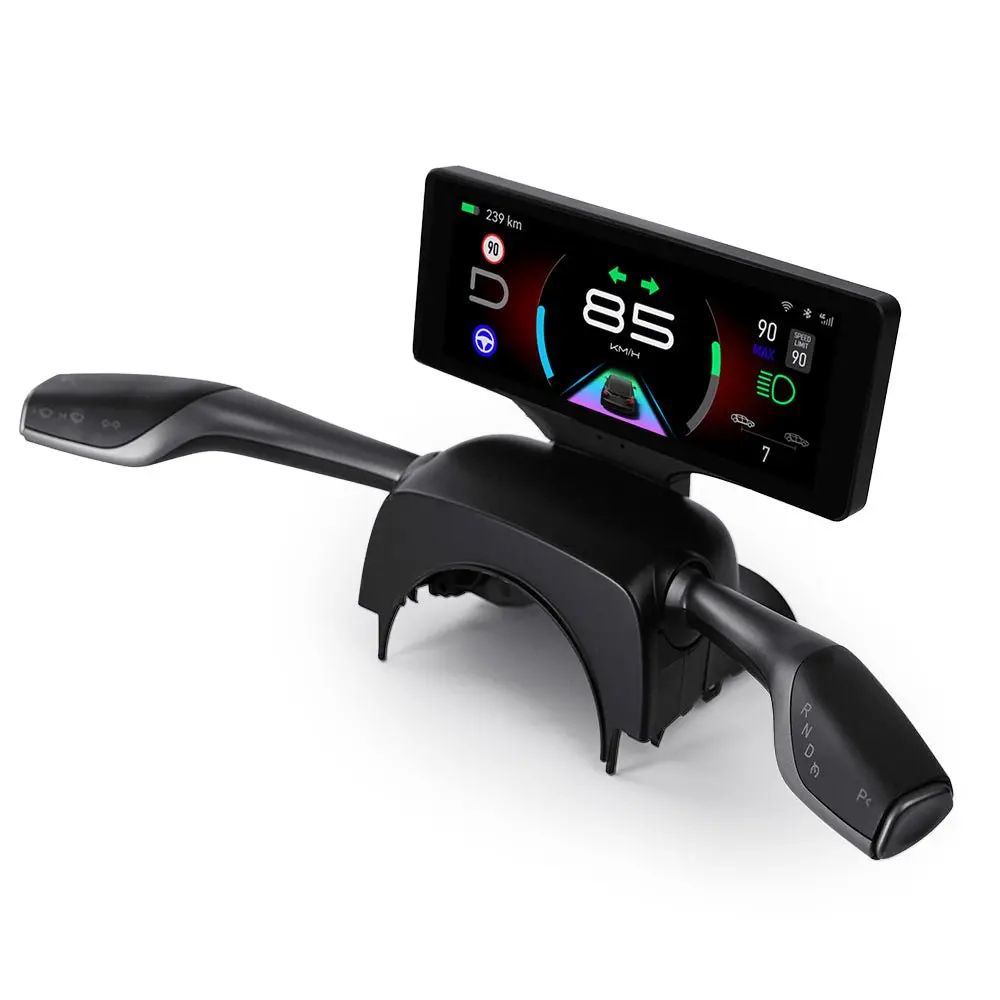
TESERY 7″ Gear Shift Touch Screen Dashboard Display for Tesla Model 3 Highland / Model Y Juniper
Crystal-clear driving data, OEM-fit integration, and intuitive gear shift—engineered for 2024+ Model 3 Highland or 2025+ Model Y Juniper.
QLED + IPS Full-Fit Wireless CarPlay & Android Auto Linux Automotive OS OTA Updates LHD / RHD Support iPhone-like Minimal Design
Crystal-Clear, Real-Time Data
Stay informed at a glance—speed, gear, range, nav prompts & vehicle status update in real time for safer, more confident driving.
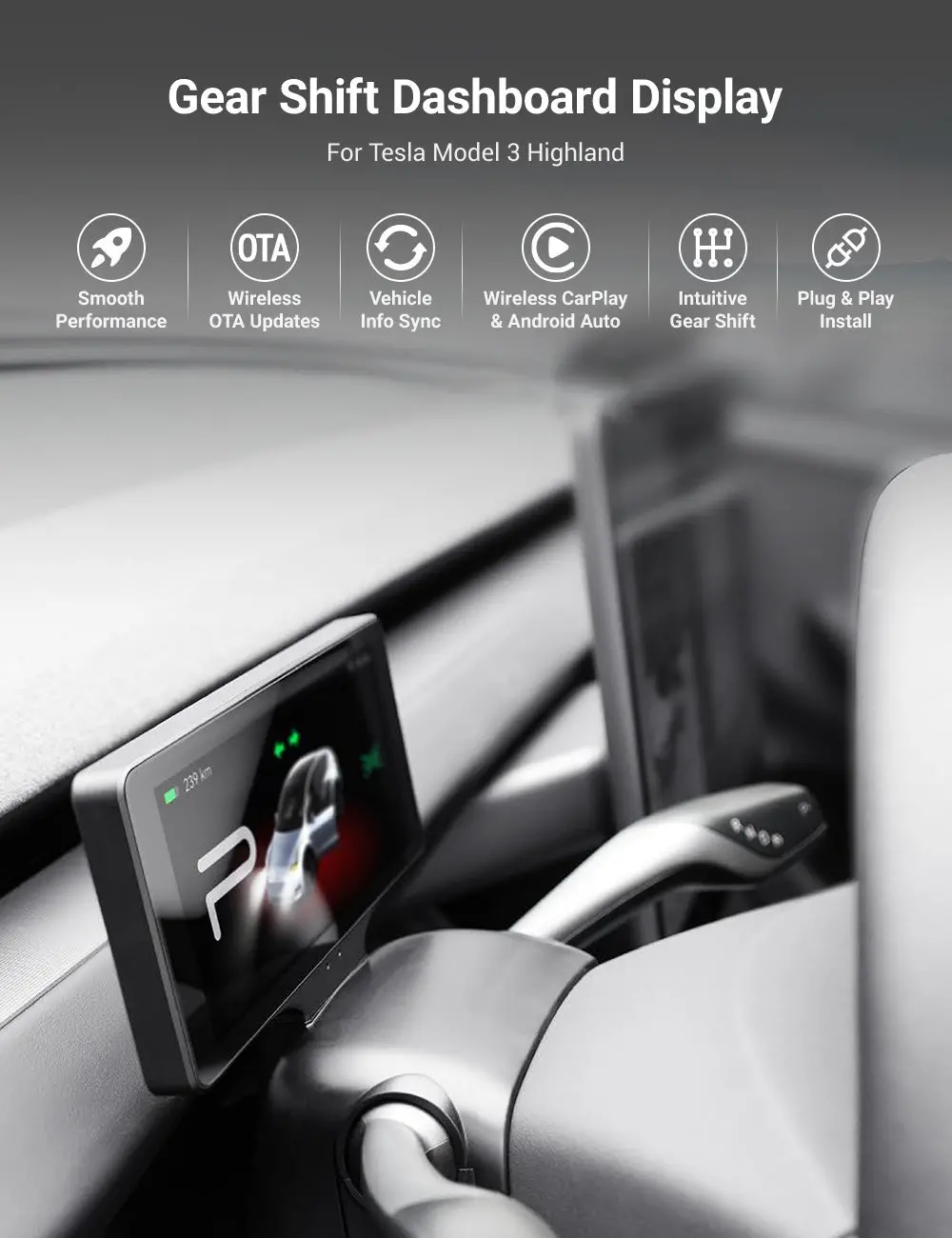
Integrated OEM Look
Instantly completes the Highland cockpit with a cleaner, more durable, and more cohesive aesthetic that feels factory-built.
Minimal & Refined
Sleek, intelligent design optimized for all lighting conditions—compact and stylish (comparable footprint to iPhone 16 Pro).
Add to Cart View Specs
Key Features
🖥️ Crystal-clear, real-time data
Always stay notified and in sync with your vehicle’s status—without diverting your eyes to the center screen.
🎛️ Integrated, OEM-grade look
Achieve a more beautiful, durable, and complete interior instantly—seamless fit, hidden wiring, zero drilling.
📱 Minimal & refined
Pixel-perfect UI with a clean aesthetic—compact like your iPhone, elegant in any light.
🐧 OEM-grade Linux system
Purpose-built automotive Linux—stable, closed system designed for reliability and enhanced security.
⚡ High performance & stability
Responsive UI and smooth animations accelerate edge intelligence with unmatched efficiency.
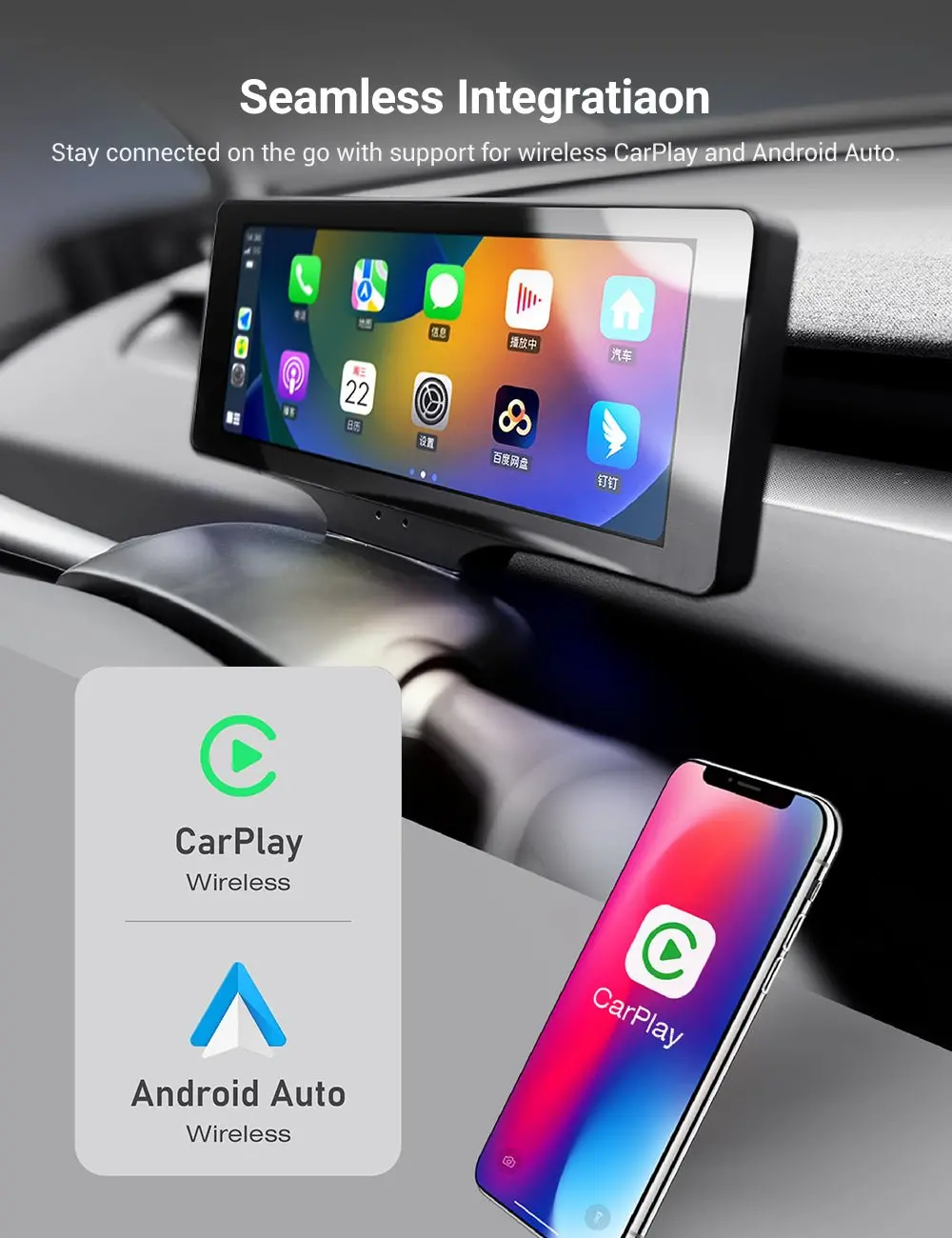
🧩 Wireless CarPlay & Android Auto
Seamless smartphone integration keeps you connected anywhere—no cables required.
Wireless CarPlay Wireless Android Auto OTA Updates ⚙️ Intelligent Multi-Function Gear Shift
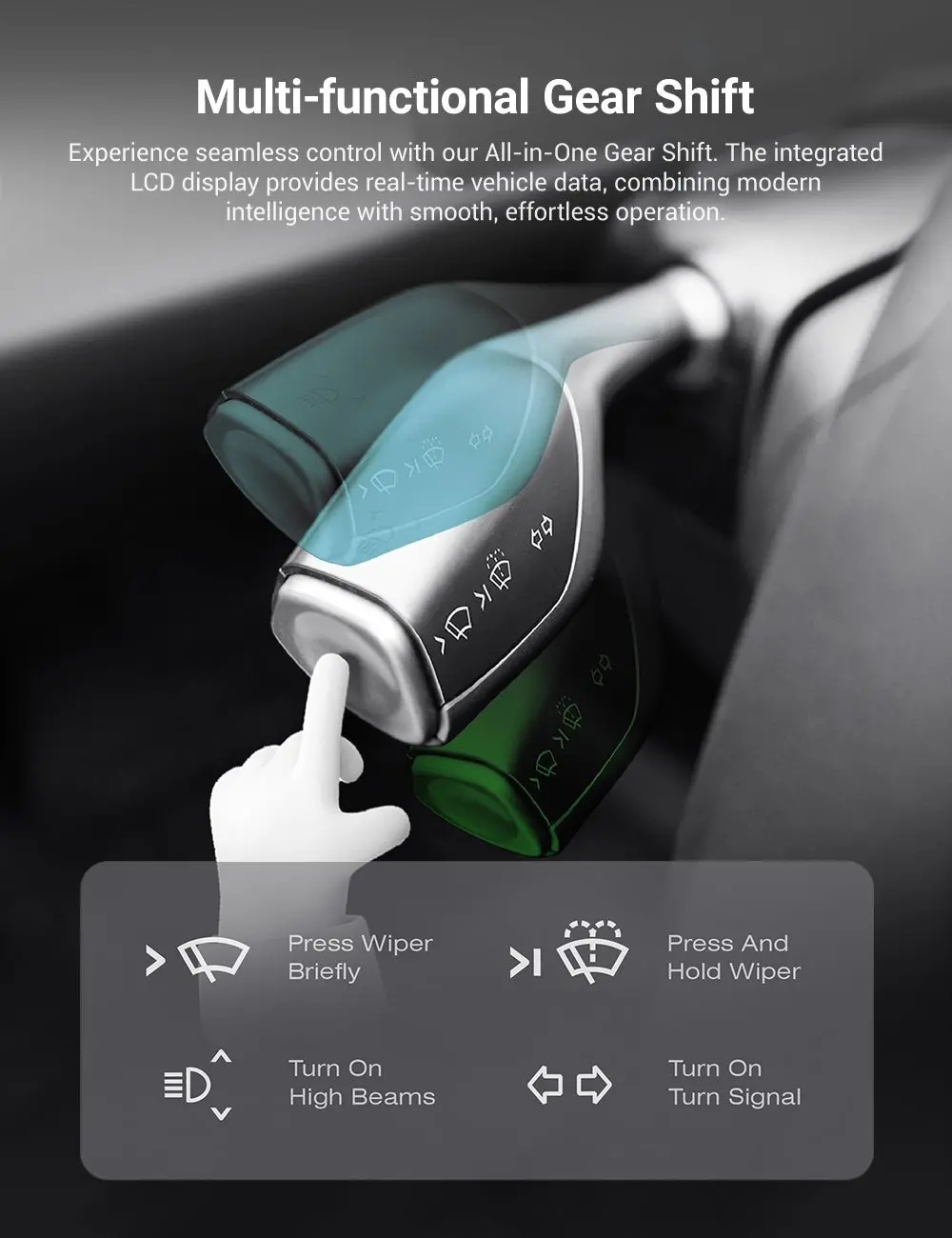
All-in-one gear control with real-time vehicle data on the LCD—modern intelligence meets effortless operation.
- Seamless gear switching + one-touch Park
- Smooth, intuitive interaction you can feel
🔊 Dynamic Voice Prompts
Dual external speakers deliver clear voice broadcasts and alerts for truly immersive, intelligible guidance.
✨ Sleek, smart UI
Pixel-perfect interface with simple, stylish design—fast to read, delightful to use.
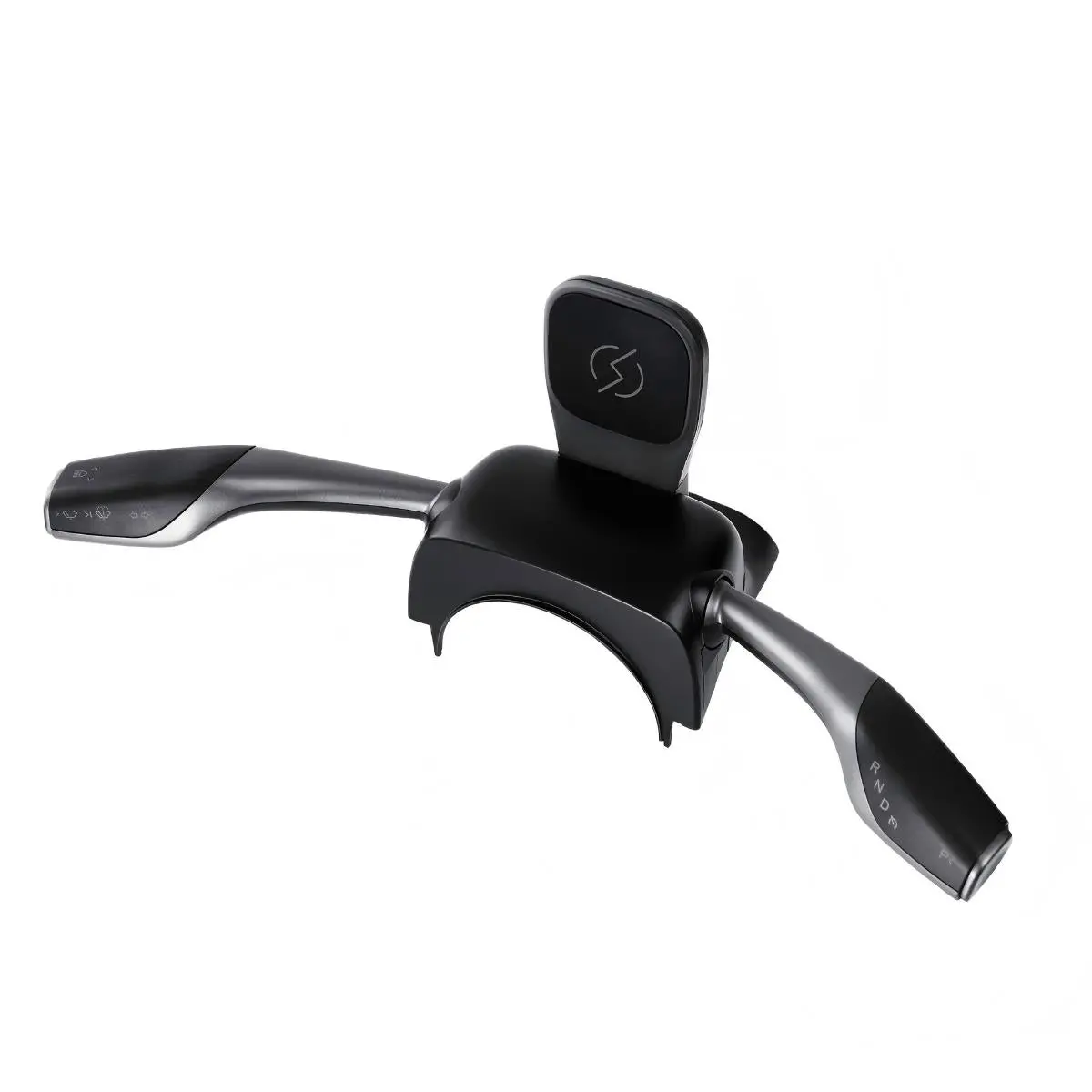
Intelligent Gear Shift Stalk Controls
Ergonomic left/right levers give you tactile, familiar control—precisely where you expect it.
Left Lever Controls
- Flick up/down: switch left/right turn signals
- Front dial: Adaptive headlights; activate flash
- Short press: wiper brush | Long press: wiper brush + spray washer fluid
Right Lever Controls
- Flick up/down: switch gears
- Short press: activate P (Park)
* Functions are designed for Model 3 Highland and may vary by software version. Please follow the included installation & calibration guide.
Specifications
| System | Linux (Automotive-grade, closed & secure) |
|---|---|
| Screen Size | 7.0 inch |
| Resolution | 1280 × 480 dpi |
| Screen Craft | QLED + IPS Full-Fit (wide viewing angle, anti-glare) |
| CarPlay & Android Auto | Wireless |
| Input Power | DC 12V |
| Operating Temp | −20°C ~ 70°C |
| Form Factor | Minimal compact body (similar footprint to iPhone 16 Pro) |
Compatibility
- Model 3 Highland (2024+)
- Model Y Juniper (2025+)
- Supports LHD & RHD
Frequently Asked Questions
Q1 – Will this obstruct my forward visibility?
A1 – No. Dashboard display for Model 3 Highland are compact (around 7″) and sit low behind the wheel, putting core info in your natural line of sight without blocking vents or forward view.
Q2 – Does it require drilling or cutting?
A2 – No. Quality Model 3 highland clusters are plug-and-play and designed for non-destructive installs using existing mounting points and harnesses—no drilling, no cutting.
Q3 – Is wireless CarPlay / Android Auto stable?
A3 – Yes—on models that include wireless CarPlay/Android Auto, connectivity is generally solid because wireless CarPlay uses Bluetooth for discovery and Wi-Fi for data, and wireless Android Auto requires 5 GHz Wi-Fi. Real-world stability depends on your phone OS, app versions, and local wireless interference; keeping iOS/Android updated and minimizing other 2.4 GHz congestion helps.
Q4 – How about night driving and glare?
A4 – Good options include auto brightness/brightness adjustment, so the screen dims at night and brightens during the day to reduce glare and distraction.
Add to Cart Check Compatibility
Explore more from our collection.

Reviews
There are no reviews yet.